
If you live in Connecticut and need help with food, health coverage, cash, child care, heating, housing, or unemployment, the hardest part is often knowing where to begin. Programs are handled by different agencies, use different definitions of a household, and may ask for different proof. This Connecticut benefits guide brings the main programs into one practical application plan.

Start with the program connected to your most urgent need, but screen for several programs at the same time. A household that qualifies for one form of help may also qualify for another, and applying separately can leave important support unused. Connecticut residents can begin with the official Department of Social Services benefits and support hub.
Important: Eligibility rules, income standards, work requirements, program openings, and benefit amounts can change. Use this guide to prepare and navigate the process, then confirm current requirements on the linked government pages before submitting an application.
Connecticut Benefits Quick Overview
| Need | Main program | Best starting point |
|---|---|---|
| Groceries | SNAP | Connecticut DSS food assistance |
| Medical coverage | HUSKY Health | HUSKY Health and Access Health CT |
| Cash for a family with children | Temporary Family Assistance | ConneCT through DSS |
| Nutrition during pregnancy or early childhood | WIC | Connecticut Department of Public Health |
| Child-care costs | Care 4 Kids | Connecticut Office of Early Childhood |
| Winter heating | Connecticut Energy Assistance Program | DSS and a local Community Action Agency |
| Rent or affordable housing | Public housing, vouchers, and local programs | Local housing authority and HUD Connecticut |
| Job loss | Unemployment Insurance | Connecticut Department of Labor |
| Older adult or disability support | State and federal services | Connecticut ADS, DSS, and Social Security |
Use one household information sheet
Before opening any application, write down the legal name, date of birth, relationship, current address, income source, and insurance status for everyone in the home. Mark who buys and prepares food together, who needs health coverage, and who needs child care. Those groups may not be identical for every program.
Apply before every document is perfect
Do not wait indefinitely because one statement is missing. Many programs let you submit an application and provide verification afterward. A submission date may affect when help can begin. Answer honestly, upload what you have, and follow the agency’s deadline for missing proof.
Documents to Gather Before You Apply
Identity and Connecticut residence
- Photo identification when available
- Birth certificates or other identity records
- Social Security numbers for people applying when requested
- Lease, utility bill, shelter statement, or official mail showing the address
- Immigration documents only for household members applying when relevant
Income and employment
- Recent pay stubs for each working household member
- Employer name, phone number, start date, and typical schedule
- Self-employment ledgers, invoices, and allowable business expense records
- Unemployment, pension, child support, Social Security, or other award letters
- A short written explanation if work stopped or hours changed recently
Expenses and program-specific records
- Rent or mortgage statement
- Heating and electric bills, vendor account information, and shutoff notice if any
- Child-care provider information and weekly cost
- Medical premiums and certain medical expenses when the program asks for them
- School or training schedule for a parent seeking child-care help
- Separation notice and work history for unemployment
Create a submission record
Save a PDF or screenshot of every confirmation page. Keep the date, confirmation number, documents uploaded, and next deadline in one note. If you mail or deliver a form, keep a copy and proof of delivery. Never send an original identity document unless an agency specifically requires it.
SNAP Food Assistance
Connecticut SNAP helps eligible households buy groceries. The official DSS food assistance page explains eligibility, application methods, EBT use, renewals, work rules, and protections for an EBT card.
Who should consider applying
Apply if your household has limited income and struggles to pay for food. DSS looks at who lives together and purchases and prepares food together, along with income and other program rules. Older adults, students, workers, people with disabilities, and people between jobs may have additional rules or deductions, so do not reject yourself based on one number seen elsewhere.
How to apply
- Use the DSS food assistance page to review current eligibility and application instructions.
- Apply online through Connecticut’s benefits system or follow the listed mail or in-person option.
- Submit identity, residence, income, and expense proof requested for your case.
- Complete any interview or follow-up call.
- Read every notice and respond by the deadline.
What may happen after submission
DSS may ask questions about household members, recent job changes, shelter costs, or missing documents. The agency may also determine whether an expedited process applies to the household. Keep your phone and mailing address current, and check MyDSS or ConneCT for notices and document status.
Using and protecting the EBT card
- Use benefits only for eligible food purchases.
- Do not share the PIN or photograph both sides of the card.
- Check the account regularly for unfamiliar transactions.
- Lock the card through an official account feature when available.
- Report a lost card or suspected theft through an official DSS channel promptly.
Renewal and reporting
SNAP is not permanent without review. Complete periodic reports and renewals by the due date, report changes required by the notice, and upload clear proof. A benefit can close even when a person remains financially eligible if a form or interview is missed.
HUSKY Health: Medicaid and CHIP
HUSKY Health is Connecticut’s Medicaid and Children’s Health Insurance Program system. It includes coverage pathways for children, parents and caretaker relatives, pregnant people, adults without dependent children, older adults, and people with disabilities. The right application route can depend on age and household category.

HUSKY categories
- Coverage for eligible children and families
- Children’s coverage through HUSKY B when applicable
- Coverage for eligible adults
- Coverage connected to pregnancy
- Programs for older adults, people who are blind, and people with disabilities
- Long-term services and supports for people who meet medical and financial rules
How to apply
- Review the current HUSKY application instructions for your household category.
- Use Access Health CT for the categories directed there, or follow DSS instructions for aged, blind, disabled, or long-term-care applications.
- List everyone in the tax household accurately, even if not everyone needs coverage.
- Provide current income and employer health-insurance information.
- Watch for requests to verify identity, income, citizenship or eligible immigration status, or disability-related information.
After approval
Approval is only the first step. Read the enrollment materials, choose or confirm a primary care provider when required, learn which pharmacies and specialists participate, and keep the member card available. Ask the plan or program before scheduling non-emergency out-of-network care.
Renewals and address changes
Update DSS or Access Health CT when your address, phone number, household, or income changes. A renewal packet returned as undeliverable can interrupt coverage. If coverage ends, read the notice for the reason, appeal deadline, and whether another insurance option is available.
Temporary Family Assistance and Other Cash Help
The Connecticut DSS cash assistance page lists Temporary Family Assistance (TFA), State Administered General Assistance (SAGA), State Supplement, refugee assistance, and other programs. TFA is the main TANF-funded cash program for eligible families with children.
Temporary Family Assistance
TFA can help an eligible family meet basic needs while a parent works, attends school or training, or experiences a difficult period. Eligibility can include household, income, asset, time-limit, cooperation, and employment-service rules. Apply through the current ConneCT route linked by DSS.
SAGA and State Supplement
SAGA may serve certain adults who cannot work because of a documented medical or other qualifying reason and who meet financial rules. State Supplement may provide additional cash support to certain people receiving SSI. These programs are not interchangeable; ask DSS which application and medical proof apply to your situation.
Documents that can prevent delays
- Proof of the child’s relationship and residence
- Income and asset statements requested by DSS
- School, training, or employment schedule
- Child-support information when required
- Medical records or provider forms for an inability-to-work claim
- Proof of an application for federal disability benefits when relevant
Work and participation requirements
Do not assume that every recipient has the same work activity. A parent may have an assigned employment plan, while another person may have an exemption or accommodation. Keep attendance records and contact the assigned worker before stopping an activity. Ask for a reasonable accommodation if a disability creates a barrier.
Connecticut WIC
The Connecticut WIC program provides supplemental foods, nutrition education, health-care referrals, and breastfeeding support for eligible pregnant, postpartum, and breastfeeding participants, infants, and children up to age five who meet program rules.
Who can apply for a child
A parent, grandparent, foster parent, or other guardian may apply for an eligible infant or child. Participation in another benefit program may help with eligibility verification, but WIC still completes its own enrollment and nutrition assessment.
How to get started
- Use the state WIC page to find a local agency.
- Request an appointment and ask whether it will be in person, by phone, or by video.
- Bring identity, Connecticut residence, household income or categorical eligibility proof, and information for each participant.
- Complete the nutrition assessment.
- Learn how to use the eWIC card and approved food list.
Keep appointments
WIC benefits and nutrition services require follow-up. Contact the local office before a missed appointment, update contact details, and ask what proof is needed for certification or recertification. Do not rely on a store label alone when checking whether a product is WIC-approved.
Care 4 Kids Child-Care Assistance
Care 4 Kids helps eligible low- to moderate-income Connecticut families pay part of child-care costs. The program considers household information, income, the child’s age and needs, and the parent’s approved activity such as work, school, or training.
Before applying
- Confirm why care is needed and the hours of work, school, or training.
- Collect pay stubs and an employer or school schedule.
- Identify a provider and confirm that the provider can participate.
- Ask the provider about rates, registration fees, late fees, and costs not covered.
- Prepare information for every parent and child in the household.
Application and provider agreement
Complete the family application and any parent-provider agreement. A missing provider section or inconsistent schedule can delay processing. If the provider changes, report it before care begins when possible and ask what new paperwork is required.
Family fee and uncovered charges
Care 4 Kids may not pay the provider’s entire price. Review the certificate and provider agreement to understand the family fee and any uncovered amount. Keep receipts and report changes in income, work, school, household, or care arrangements as directed.
Redetermination
Eligibility is reviewed periodically. Begin the redetermination as soon as the notice arrives. Waiting until the final day can create a gap if the program needs employer verification or updated provider information.
Connecticut Energy Assistance Program
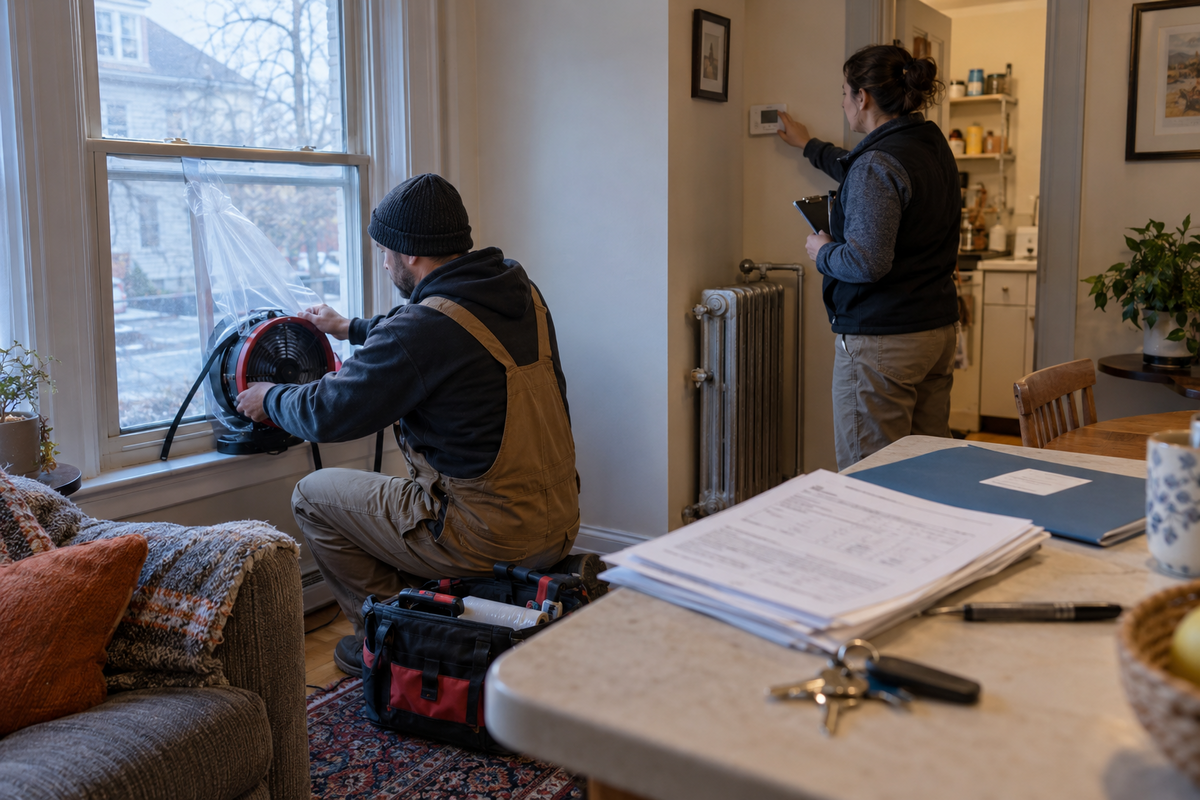
The Connecticut Energy Assistance Program (CEAP) helps eligible households with winter heating costs. As of September 20, 2026, the official page states that applications are open for the 2026–2027 season, with online and in-person applications beginning September 1, 2026, and a listed eligibility-application deadline of May 31, 2027.
Where to apply
CEAP is administered by DSS with local Community Action Agencies. Follow the official page to the agency serving your town. Do not send documents to an unrelated office or wait for a utility shutoff before asking for help.
Heating documents
- Current heating bill or fuel-vendor statement
- Utility account and service address
- Proof of household members and income
- Landlord statement when heat is included in rent, if requested
- Fuel-delivery records or invoices for oil, propane, kerosene, or another deliverable fuel
- Shutoff, termination, or empty-tank notice when applicable
CEAP is annual
A prior-year approval does not automatically create a new-season benefit. Apply each season, keep the fuel vendor information current, and ask the local agency whether any payment plan, shutoff protection, or heating-equipment assistance may also apply.
Housing and Rental Assistance
Housing help is local and often has waiting lists. The federal HUD Connecticut page connects residents with public housing authorities, affordable rental resources, housing counseling, homelessness services, and fair-housing help.
Public housing and vouchers
Contact the housing authority serving the area where you want to live. Ask separately about public housing, Housing Choice Vouchers, project-based units, and local programs. One waiting list does not place a household on every list.
Build a housing application file
- Photo identification and Social Security numbers when requested
- Birth certificates and custody or guardianship records
- Income and benefit award letters
- Current lease, rent ledger, and landlord contact
- Eviction, foreclosure, or utility-disconnection papers
- Disability accommodation request and supporting information when needed
Waiting-list strategy
Record the authority, program, application date, confirmation number, and update rules for every list. Keep the mailing address, email, and phone current. Many applications are lost because a household misses a time-sensitive update notice rather than because it became ineligible.
Housing emergency
If you may lose shelter immediately, use the federal emergency housing assistance guide and the Connecticut resources linked from HUD. Explain whether the problem is eviction, unsafe housing, domestic violence, homelessness, or a utility shutoff so the referral matches the emergency.
Connecticut Unemployment Benefits
The Connecticut Department of Labor unemployment page provides the official links for a new claim, weekly filing, payments, account issues, work-search information, fraud reports, and appeals.
File promptly after job loss
Do not wait for every separation document if work has already ended or hours have been reduced. Create the official ReEmployCT account, file the initial claim accurately, and save the confirmation. Eligibility depends on wage history and the circumstances of unemployment, not simply on being out of work.
Information to prepare
- Social Security number and contact information
- Employer names, addresses, and dates worked
- Reason each job ended
- Gross earnings for any week worked
- Severance, vacation, pension, or other payment information
- Work authorization information when applicable
- Direct-deposit details entered only on the official system
Weekly filing
An initial application is not the same as a weekly certification. File each required week on time, report work and gross earnings honestly, complete work-search requirements, and respond to fact-finding requests. Keep a work-search log and screenshots of weekly confirmations.
Issues, denials, and appeals
An “issue on file” may mean the agency needs information before payment. Check messages, answer requests, and continue filing weekly claims while the issue is reviewed when instructed. If benefits are denied or the amount is disputed, follow the appeal instructions and deadline printed on the determination.
Older Adults and People With Disabilities
The Connecticut Department of Aging and Disability Services connects residents with aging services, independent-living resources, vocational rehabilitation, services for people who are blind or deaf, and other supports. DSS also operates Medicaid, long-term services, and State Supplement programs.
Ask for a needs-based referral
Describe the daily problem, not only a diagnosis. Examples include difficulty bathing, preparing food, traveling to medical appointments, keeping a job, reading printed notices, hearing phone calls, or staying safely at home. Different needs may lead to different agencies and assessments.
SSI and federal disability benefits
Supplemental Security Income is a federal program for eligible people with limited income and resources who are older, blind, or have a qualifying disability. SSI, Social Security Disability Insurance, Medicaid, SAGA, and State Supplement have different rules. Applying for one does not automatically complete the others.
Accommodation and authorized help
Ask an agency for an interpreter, accessible notice, communication accommodation, or reasonable modification when needed. If another person helps with applications, use the program’s authorized-representative process rather than sharing passwords.
Tax Filing and Free Tax Help
The IRS provides Free File options and information about VITA and TCE free tax preparation. Eligibility and site availability change by filing season, so check the official IRS pages rather than an advertisement.
Tax documents to save
- W-2 and 1099 forms
- Unemployment 1099-G
- Social Security tax forms
- Health coverage forms when relevant
- Child-care provider tax identification and payment records
- Prior-year return and bank information for a refund
Benefits and tax returns
Do not assume every public benefit is taxable. Tax treatment differs by program. Use the correct information return and ask an IRS-certified volunteer or qualified tax professional when unsure. Never pay a person who promises a larger refund by inventing dependents, income, or credits.
Emergency Help and Immediate Priorities
If food is running out
Submit SNAP promptly and use emergency food resources while the application is pending. Tell DSS if the household has very little income or food so it can determine whether expedited rules apply. WIC, school meals, senior nutrition, and food-distribution programs have separate enrollment paths.
If heat or electricity may stop
Contact the utility or fuel vendor and the local CEAP agency immediately. Ask about payment arrangements and current shutoff protections. Keep the notice, account number, and the name of every representative.
If housing is unsafe or ending
Do not ignore court papers or rely on a verbal promise. Contact the appropriate housing or legal-help referral, save photographs and notices, and ask for emergency shelter or coordinated-entry guidance if there is no safe place to stay.
If there is immediate danger
Call 911 for an immediate threat to life or safety. Benefit agencies do not replace emergency services. Tell a shelter or service provider about domestic violence, disability, medical needs, children, or another safety concern that affects placement.
Track Applications Without Losing Deadlines
| Program | Submission date | Confirmation | Missing items | Next deadline |
|---|---|---|---|---|
| SNAP | ||||
| HUSKY Health | ||||
| Cash assistance | ||||
| Care 4 Kids | ||||
| CEAP | ||||
| Housing | ||||
| Unemployment |
Check the official account, mail, and phone
A portal status may not show every task. Check electronic notices, paper mail, voicemail, and email. Agencies may use different systems, so one account does not show every Connecticut program.
Log every contact
- Date and time
- Agency and program
- Representative name or reference number
- Question asked and answer received
- Document requested
- Deadline and next action
Common Causes of Delay
Household information does not match
A different address, spelling, household member, or tax relationship across forms can trigger questions. Explain legitimate differences instead of changing facts to force a match.
Income changes are not explained
Pay stubs may show overtime, a partial pay period, or a job that recently ended. Add a brief factual note and an employer statement when it helps explain why the documents do not reflect current circumstances.
Uploads are unreadable
Check every image before sending it. The name, date, dollar amount, and all pages must be visible. Upload the requested document type and label files clearly.
Interview or renewal was missed
Call or use the official portal promptly. Ask whether the case can continue or whether a new application is necessary. Do not submit repeated applications until the agency explains the correct next step.
Provider or vendor information is incomplete
Care 4 Kids and CEAP often involve a provider, utility, or fuel vendor. Verify the legal name, account number, service address, schedule, and required signatures before submission.
Denials, Reductions, and Appeals
Read the entire notice
Find the action, reason, effective date, rule cited, appeal deadline, and hearing instructions. A denial for missing verification is different from a denial based on an eligibility rule.
Request the case record
Ask what information the agency used and which document was missing or considered inconsistent. Compare it with what you submitted. Keep the envelope and portal notice because dates can matter.
Appeal on time
Use the method stated in the notice. Keep proof of submission. Explain the disputed fact, attach supporting documents, and attend the scheduled hearing. Ask the program whether benefits can continue during an appeal and what repayment risk may apply.
Continue required actions
While an appeal is pending, continue weekly unemployment filings, benefit renewals, work activities, or document updates when required. An appeal does not automatically pause every other responsibility.
Reporting Changes and Renewing Benefits
Changes commonly reported
- New job, job loss, raise, or reduced hours
- Move or mailing-address change
- Person entering or leaving the household
- Marriage, pregnancy, birth, or custody change
- New insurance coverage
- Child-care provider or schedule change
- Heating vendor or housing change
Use the program’s reporting rule
Reporting requirements are not identical. Read the notice for what must be reported and by when. Save proof. If a worker gives instructions by phone, write down the date, name, and response.
Renew early
Gather updated proof when the renewal notice arrives. Submit before the deadline and verify receipt. A portal confirmation that a file uploaded does not always mean it was readable or accepted as the right document.
Privacy and Scam Prevention
Use official web addresses
Begin at CT.gov, HUD.gov, IRS.gov, SSA.gov, or another official agency page. Avoid search advertisements that imitate a benefit application or charge a fee for a free government form.
Protect account credentials
- Use a unique password for each benefits account.
- Do not share a verification code with an unsolicited caller.
- Do not send identity documents through social media.
- Review portal messages by signing in from the official page.
- Report unauthorized EBT or unemployment activity promptly.
Authorized helpers
A trusted helper can organize documents, but use the agency’s representative or release process when that person needs case access. Do not give a preparer permanent control of the account.
Master Application Checklist
Before submitting
- Confirm the official program and application route.
- List every household member accurately.
- Use current income information.
- Explain recent employment changes.
- Attach clear identity, residence, and expense records.
- Check provider, vendor, and employer details.
- Review the application before signing.
Immediately after submitting
- Save the confirmation page and application copy.
- Write down the submission date.
- Check for an interview or verification deadline.
- Confirm that uploaded documents were received.
- Keep phone and mailing information current.
- Continue weekly unemployment filings when applicable.
After approval
- Read the approval notice and benefit period.
- Understand reporting and renewal rules.
- Check the first benefit or payment for accuracy.
- Choose participating providers where required.
- Protect cards, account numbers, and passwords.
- Save every later notice in the same case folder.
Frequently Asked Questions
Can I apply for more than one Connecticut benefit?
Yes. Each program makes its own eligibility decision. A household may apply for food, health, cash, child care, heating, housing, and unemployment help when the needs and circumstances fit.
Do I need to be unemployed to receive SNAP or HUSKY Health?
No. Many recipients work. The program evaluates household and income information under its current rules.
Does one application cover every program?
No. DSS programs may share an application system, but WIC, Care 4 Kids, housing, unemployment, and federal disability benefits use separate processes.
Can I apply without a permanent address?
Do not assume homelessness makes you ineligible. Contact the program and explain how you receive mail and where household members stay. Ask what alternative residence or contact proof is accepted.
What if I am missing a pay stub?
Submit other available proof and ask whether an employer statement or wage verification form is acceptable. Explain a recent job change in writing.
How do I know whether a child-care provider is acceptable?
Ask Care 4 Kids and the provider before care begins. Provider eligibility, agreements, and uncovered charges matter even if the family qualifies.
Can CEAP help with electric heat or deliverable fuel?
CEAP covers eligible heating situations under seasonal rules. Provide the correct utility or fuel-vendor information and ask the local agency how the benefit applies to your heating source.
Does a housing application guarantee a unit?
No. Programs may have separate waiting lists, preferences, and availability. Keep every application updated and continue looking for other affordable options.
What if unemployment shows an issue on file?
Review ReEmployCT messages, submit requested facts, and continue weekly certifications when instructed. Use the official Department of Labor support route.
What if I disagree with a decision?
Read the notice, request the record, and appeal by the printed deadline. Keep proof of the appeal and all supporting documents.
How can I get free tax filing help?
Check IRS Free File and VITA/TCE. Availability and eligibility can vary by filing season and location.
Where should I start if I am not sure what I need?
Use the Connecticut DSS benefits hub, list the household’s urgent needs, and screen for several programs. For an immediate safety or housing emergency, contact emergency services or the official emergency housing resources first.
Related Guides
- Massachusetts Benefits Guide 2026
- New York Benefits Guide 2026
- New Jersey Benefits Guide 2026
- Pennsylvania Benefits Guide 2026
Official Connecticut and Federal Resources
- Connecticut DSS Benefits and Support
- Connecticut Food Assistance and SNAP
- HUSKY Health
- Connecticut Cash Assistance
- Connecticut WIC
- Care 4 Kids
- Connecticut Energy Assistance Program
- Connecticut Unemployment Benefits
- Connecticut Aging and Disability Services
- HUD Connecticut
- Supplemental Security Income
- IRS Free File
- IRS VITA and TCE
- Federal Emergency Housing Assistance